30x per second
Your posture is your power
Sit up or
your screen
goes dark.
You've already tried the reminder apps. They get dismissed. Posture Sensei doesn't ask — it makes slouching cost you something you care about. Two anime guardians sit on your shoulders and fight skeletons. Your posture powers them. Let them die and your screen locks until you hold perfect posture for 20 seconds.
📷 Camera tracked · on-device🎧 AirPods aware💻 Mac only🪙 One-time purchase
Good postureWave 3
Posture92
HP84⚔ Wave 3Score 260


 Live battle HUD
Real consequences
Slouch and your guardians start dying.
Their attacks weaken. Their shield drops. Enemies land hits. HP drains. You feel it happening on screen the moment your posture slips.Screen lock
HP hits zero and your screen goes dark.
A fullscreen overlay covers everything. Can't close it. Can't cmd+tab. Hold perfect posture for 20 seconds to unlock. Drop and it resets.The honest part
You've tried reminder apps. Stretches. The corrector in the drawer.
Nothing you can swipe away changes a habit a decade in the making. Posture Sensei works because you can't swipe it away — and because it doesn't need to phone home to do its job.
On-device only
Apple Vision processes every frame locally. Camera data never leaves your Mac.Nothing uploaded
No servers. No accounts. No sync. No posture logs anywhere. You can check Little Snitch.One-time purchase
Buy once on the App Store. Own every future update forever. No subscription, no tiers.Why it works
Every other posture app sends a notification. You dismiss it.
Posture Sensei doesn't remind you to sit up. It makes slouching cost you something you care about — your screen, your characters, your streak.
You can't swipe this away
A notification gets dismissed. A dying guardian and a locked screen don't. Your body has to fix the problem.
The feedback is instant
Not "check your posture" after 30 minutes. The fight reacts the second you slouch. Correction happens while it's still easy.
It's literally your body up there
The camera pins the guardians to your actual shoulders. Shift, lean, slouch — they move with you. You're not rooting for a character. You're watching yourself get hit in real time.
Your brain rewires itself
After a few screen locks, you start self-correcting automatically. The habit forms because the loop is real, not because an app told you to sit up.
How it works
Open the app. Sit down. Let the fight train your body.
Your camera watches your posture. Your guardians fight. Your body decides who wins.
01
Open the app before a long sit
Start a coding block, study session, or work sprint. The battle runs alongside your work.
02
Guardians appear on your shoulders
They anchor to your detected shoulder positions via your camera. They move when you move.
03
Skeletons attack constantly
Enemies swarm from every edge. Your guardians fight back — but only at full power when you sit up straight.
04
Lose the fight, earn it back
Screen locks. Hold perfect posture for 20 seconds. After a few of these, you start correcting before the guardians even take damage.
Meet the cast
Your guardians and their enemy
The actual characters on screen. They sit on your real detected shoulders and fight with whatever power your posture gives them.
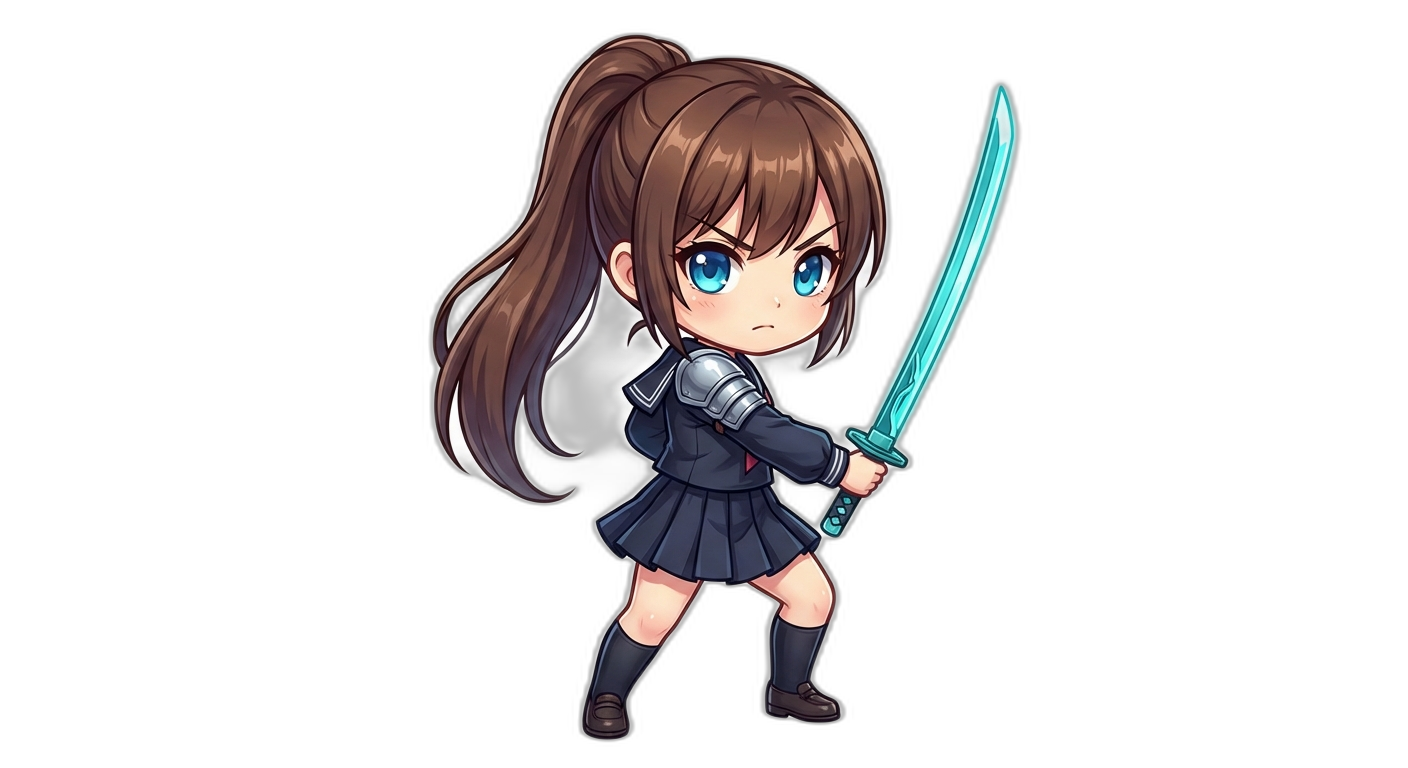
Left shoulder · Melee
Blade Guardian
Close-range fighter with a glowing cyan blade. Slashes through any skeleton that gets too close.
Right shoulder · Ranged
Gun Guardian
Dual-wielding energy pistols. Fires homing bolts that track enemies across the screen.
Enemy · All directions
Skeleton Invader
They swarm from every edge. They shoot back. And they never stop coming.
Three states of posture
Good. Slipping. Gone.
The worse your posture gets, the more the fight turns against you — until your screen disappears entirely.
Sit straight and everything works
Full damage. Shield up. HP regenerating. Enemies getting pushed back. The session feels calm and controlled.
Slouch and it falls apart fast
Damage drops. Shield flickers. Enemy hits land. HP drains. You have maybe 30 seconds before things get bad.
Lose and your screen disappears
Guardians fall. Fullscreen lock. On Mac it covers every window at the OS level. 20 seconds of perfect posture to get it back.
The screen lock
Not a notification. Your screen is gone.
When your guardians fall, everything stops. Your screen is covered at the OS level. The only way back is holding perfect posture for a full 20-second countdown.
Slouch and enemies break throughYour guardians weaken. Shield drops. HP drains. It happens fast.
HP hits zero. Screen locks.Fullscreen overlay. Can't close it. Can't switch apps. Your body has to fix this.
20 seconds of perfect posture to unlockDrop during the countdown and it resets. After a few of these, you start self-correcting before it ever gets this far.
Guardians defeatedHold good posture to unlock
201205
Works with your setup
Designed for how Mac people actually work.
No custom hardware. No account setup. Plug into the Mac you already own and the camera you already have.
macOS 14 or later
Apple Silicon recommended. Runs on Intel with slightly higher CPU use.Any camera works
Built-in FaceTime HD or any USB webcam macOS recognizes.Single or multi-monitor
Laptop, dual display, 49-inch ultrawide — pick which screen the lock covers.About 2% CPU
Posture tracking runs on the Neural Engine. Battery impact stays negligible on M-series.Why this exists
Built by one developer tired of losing to his own desk.
A product note, not marketing copy.
I've coded for most of my adult life. I've bought the ergonomic chair, the standing desk, the $40 corrector that now lives in a drawer. I've muted every reminder app by the second day. Nothing stuck — because nothing made slouching cost me anything.
Posture Sensei is the version that finally did. If a dying anime guardian on your shoulder is what it takes to sit up, that's the point.
FAQ
Common questions
Everything you need to know before you download it.
Is my camera data private?
Yes. All posture tracking runs on-device via Apple Vision. Camera frames are never saved, never uploaded, never shared with us or any third party. The full list of what we don't collect is in our Privacy Policy.
Does it actually block my screen?
Yes. On Mac, a fullscreen panel at the screensaver level covers everything. You can't cmd+tab out, you can't close it. Hold good posture for 20 seconds straight to unlock.
Can I pause or snooze it?
Yes. A menu-bar shortcut pauses tracking instantly — useful for standing breaks, coffee runs, or someone walking into the room. Sessions auto-resume when you return.
Does it conflict with Zoom or video calls?
Posture Sensei shares camera access when possible. When a meeting app grabs the camera exclusively, Posture Sensei pauses automatically and picks back up after the call ends.
Does it work with external webcams or multiple monitors?
Yes. Any camera macOS recognizes works — built-in or USB. On multi-monitor setups, pick which display the screen lock covers in settings.
Can I adjust what counts as "good posture"?
Yes. Choose strict, normal, or chill — or calibrate to your own baseline by sitting the way you want to sit for ten seconds during setup.
What's the performance impact?
Posture tracking runs on Apple's Neural Engine, not the main CPU. On Apple Silicon we measure roughly 2% CPU and negligible battery drain.
Does it work in the background?
Yes. Minimize the app and keep working. The camera still watches, enemies still attack, and your guardians still take damage if you slouch.
Is this a subscription?
No. One-time purchase on the App Store. No tiers, no recurring charges, no accounts required.
One-time purchase on the App Store
Buy it once. Own it forever.
Camera posture tracking, anime-style guardian battle, OS-level screen lock, optional AirPods head tracking, and every future update. No subscription, no accounts, no cloud.